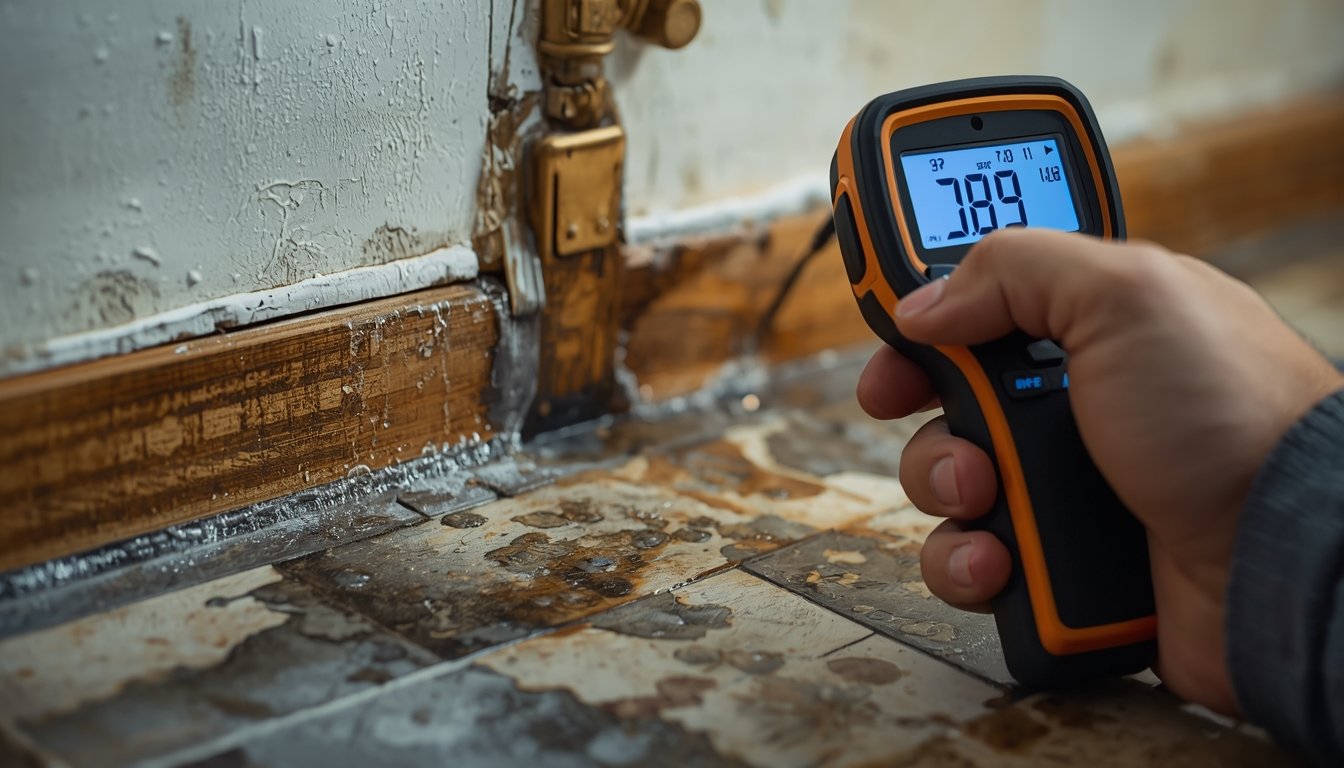
Using a moisture meter correctly is the difference between finding real problems and chasing false readings. The tool itself is simple, but accuracy depends on how you test, where you test, and how you interpret the results.
Most mistakes come from rushing, relying on a single reading, or misunderstanding what the numbers mean. If you want reliable results, it helps to first understand how moisture meters work and when to use them so you can use the device with the right expectations.
Step 1: Set Up the Meter Correctly Before Testing
- Select the correct material: Choose wood, drywall, or masonry mode
- Check battery level: Low power can cause unstable readings
- Allow the meter to stabilise: Turn it on and wait a few seconds
- Verify calibration if possible: Ensure readings are consistent on a dry surface
Before taking any readings, proper setup is essential. Using the wrong material setting is one of the most common mistakes and can lead to inaccurate results.
Different materials respond differently to moisture, so the meter must be set correctly to interpret the signal. For example, wood and drywall require different calibration settings.
Battery level is another overlooked factor. A weak battery can cause fluctuating or unreliable readings, making it harder to identify patterns.
Taking a moment to confirm the meter is ready ensures that the readings you collect are consistent and meaningful.
This step may seem simple, but it prevents many of the issues people experience when using moisture meters.
Step 2: Establish a Reliable Baseline Reading
- Test a known dry area: Use an interior wall away from moisture sources
- Take multiple readings: Confirm consistency across the surface
- Note the range: Use this as your reference point
- Repeat for different materials: Each material has its own baseline
A baseline reading gives you a reference for what “normal” looks like in your home. Without it, it’s difficult to know whether a reading is actually high.
Choose an area that is unlikely to be affected by moisture, such as a central interior wall. Take several readings to confirm that the values are stable.
This baseline becomes your comparison point for all other readings. Any significant increase above this level may indicate moisture.
It’s important to remember that different materials produce different readings. Wood, drywall, and concrete will not show the same values, so baselines should be established separately where needed.
By starting with a baseline, you ensure that your diagnosis is based on comparison rather than guesswork.
Step 3: Scan Surfaces Systematically
Once your meter is set up and you have a baseline, the next step is scanning surfaces in a consistent and methodical way. This helps you identify where moisture is present and how it is distributed.
Move the meter slowly across the surface in a grid pattern. This means scanning horizontally and vertically to cover the entire area evenly.
Taking multiple readings across the same surface allows you to identify patterns. Moisture problems usually appear as higher readings in specific spots rather than evenly across a surface.
Focus on high-risk areas such as the base of walls, around windows, and near plumbing fixtures. These are common locations where moisture develops.
Avoid scanning too quickly. Moving slowly ensures that the meter has enough time to detect changes in moisture levels.
Systematic scanning is one of the most important steps in using a moisture meter effectively.
Step 4: Interpret Readings Based on Patterns
Interpreting moisture readings correctly is essential for identifying real problems. A single reading does not provide enough information on its own.
Compare readings across different areas to identify patterns. If one section shows consistently higher values than surrounding areas, it likely contains moisture.
Patterns are more reliable than individual numbers, especially when using meters that display relative scales.
Retesting the same area can help confirm whether the reading is consistent. If values remain high, it suggests that moisture is present.
Environmental factors such as humidity and temperature can influence readings slightly, so consistency is key when testing.
By focusing on patterns, you can avoid misinterpreting results and make more accurate decisions.
Common Mistakes to Avoid When Using a Moisture Meter
- Relying on one reading: Always take multiple readings for comparison
- Using the wrong setting: Incorrect material mode leads to inaccurate results
- Testing over finishes: Paint and tile can affect readings
- Scanning too quickly: Misses changes in moisture levels
Many problems with moisture meters come from how they are used rather than the device itself. Avoiding these mistakes improves accuracy significantly.
One of the most common errors is relying on a single reading. Without comparison, it’s impossible to know whether a value is normal or elevated.
Using the wrong material setting is another frequent issue. This can cause readings to appear higher or lower than they actually are, leading to confusion.
Testing over painted or sealed surfaces can also affect results. While some meters can handle these surfaces, readings may not always reflect true moisture levels.
Taking your time and following a consistent process helps you avoid these mistakes and get reliable results.
Step 5: Confirm Findings and Take Action
Once you’ve identified areas with elevated readings, the next step is confirming whether there is a real moisture problem. This involves combining meter readings with observation.
Look for signs such as stains, peeling paint, or musty odors. These can support your findings and help confirm the presence of moisture.
Check nearby areas to locate the source. Moisture often travels, so the highest reading may not be directly at the origin.
Retesting over time can also provide useful information. If readings remain high or increase, it suggests an ongoing issue.
After confirming the problem, take steps to address the source. This may involve repairing leaks, improving ventilation, or drying affected materials.
Using your moisture meter to monitor changes ensures that the issue is resolved and helps prevent future problems.